Archives

DNA2Tree: Build Trees from DNA Matches

Since I do not have an iPad, iPhone or any other Apple device, I could not evaluate this product. It sounds like a real game changer for adoptee searches! Like the DNAgedcom.com client, it finds common ancestors and can make cluster charts. However it goes a step further and shows you the common ancestors for each cluster and can build those ancestor’s trees for you! Here is a guest post from a beta tester. – Kitty

DNA2Tree: New Adoptee Search Software by Jason Schneir

There are approximately 120,000 adoptions each year. When these adoptees become adults a substantial percentage want to find out more about their biological parents. Unfortunately, state privacy laws often stand in the way of identifying and learning about their biological relatives.
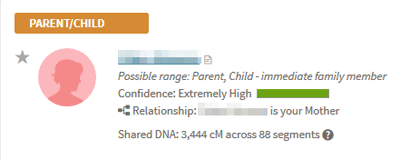
DNA testing has proved a boon to adoptees wishing to find their biological family. In the best case an adoptee is tested and the adoptee’s biological family is also tested. For those lucky individuals, finding their biological relative is just a matter of looking at their match list and seeing a close match. No skill is needed.

For the majority of adoptees, close biological family is not DNA tested. Fortunately, there are DNA search techniques that can find biological parents from other tested relatives. Unfortunately, this methodology takes considerable skill and practice. For that reason, many adoptees find a geeky friend, search angel, or paid genetic genealogist to help them.

In December 2018, my wife Beth and I joined SearchAngels.org and watched every video we could find on using DNA search techniques to find an adoptee’s parents. We were excited to have the opportunity to help adoptees, but were very nervous about whether we could be successful. To our great joy, we solved over ten adoptee search angel cases in our first four months. Beth worked with me on most of my cases – especially the successful ones! A key element contributing to our success was a new IOS app, DNA2Tree, which runs on an Apple iPhone.
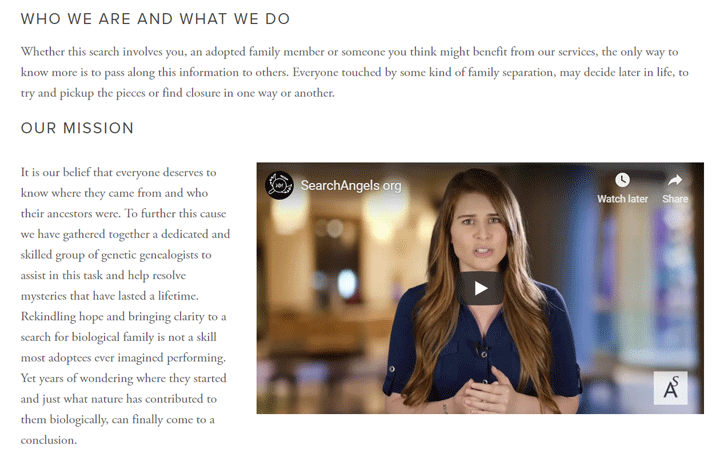
Screeen Shot from SearchAngels.org – the Adoptee Searches page on the Services menu

We chose our first case carefully in the hope it would be easy. There was a first cousin match and the mother was already found – we just needed to find the father. Almost immediately our simple case fell apart and the complexities began to mount.

Continue reading →

Make a combined DNA kit for yourself

Have you ever wanted to make a kit combining all your DNA tests at the different companies so as to get the most SNPs for comparisons? Well GEDmatch provides that for paid members. So of course I made one of these superkits for myself! I combined my LivingDNA with my V3 23andme and my current Ancestry kit. Now to investigate what I have gained from this.

The first thing I did was compare this new kit to my recent Ancestry kit. All looked fine. It has the expected small differences, many of which disappeared (including the black lines) when I checked the prevent hard breaks box on the form. The older 23andme kit comparison had more black spots and mismatches.

My next thought about my new superkit was that I might get a better comparison to cousins who tested more recently at 23andme but none of them have uploaded to GENESIS yet. So I checked how my comparison to an Ancestry tester, my second cousin once removed Jeanie, looked. The superkit gets the same result as my recent Ancestry kit. When I compared her to my 23andme kit and my Living DNA kit however, there were small differences.

Continue reading →

The Beta One-To-Many Tool: GENESIS Basics II

Finding cousins who can help solve genealogical mysteries are what many of us are hoping for when we do DNA testing. The various One-to-Many tools at GEDmatch Genesis list all the people who match the DNA kit you specify. These are cousins or even closer relatives.

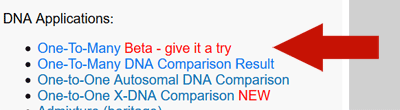
The new beta version of the One-to-Many tool  is found under the heading DNA Applications in the right hand column of your home page.

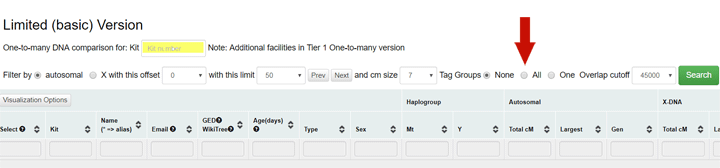
My red arrow points to it in the image to the left.  It is a much improved tool, more like what was available on GEDmatch. When you click on it, you get a form as shown below which only needs the kit number added.


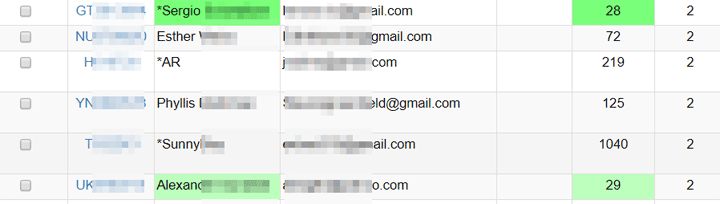
If you have set up some tag groups (click here for my GEDmatch tag group article), check the tag group box named “All” (shown with my red arrow above). Below is what my One-To-Many result looks like with my tag groups. The kit number is shown with the color of the group it belongs to. Note that when I have a person in more than one tag group, I get duplicate lines for them, one for each color coded tag group they are a member of:

My top matches in the One-To-Many with my tag groups (click for larger image)

One of the great features of this tool is that every column is searchable by putting text in the box above the column and then clicking the enter key. [UPDATE: this is a Tier 1 feature only and is more directly called a filter]. Another one is sortability via the up and down arrows at the top of the column. When working with my Jewish side, I sort by largest segment to get my closest cousins at the top. The reason I do that is that endogamous populations will often share many small segments from way back so the total cM make a triple 5th cousin look like a 2nd or 3rd ; however close cousins will always share larger segments.

This beta One-To-Many tool includes many of the features GEDmatch users are used to: the link to a tree*, the display of haplogroups, the estimation of generations difference, and the X matching. It also includes the new overlap number which lets you know how many SNPs are tested in common between the two kits. The overlap issue was discussed in my previous article about GENESIS

You can click on any kit number to get a One-To-Many for that kit or click on the underlined largest segment number to compare the cMs of the two kits for either autosomal or X. In both cases you are taken to a prefilled in form on which you can make changes to (don’t yet) before you click the Submit or Search button. On the X comparison, I recommend you click the “Prevent Hard Breaks ” because there is a large gap in the middle for many tests otherwise.

New matches will be indicated by having their names and days since upload colored in green. The green gets lighter the longer they are there until it eventually goes away.

Here is a table with an explanation for all of the One-To-Many column headings:

Continue reading →

Ancestry’s new DNA feature: ThruLines

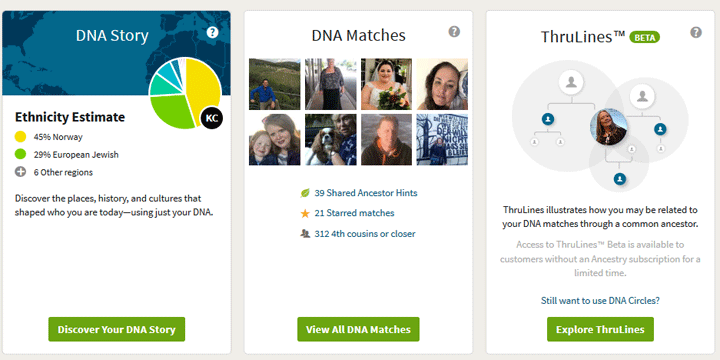
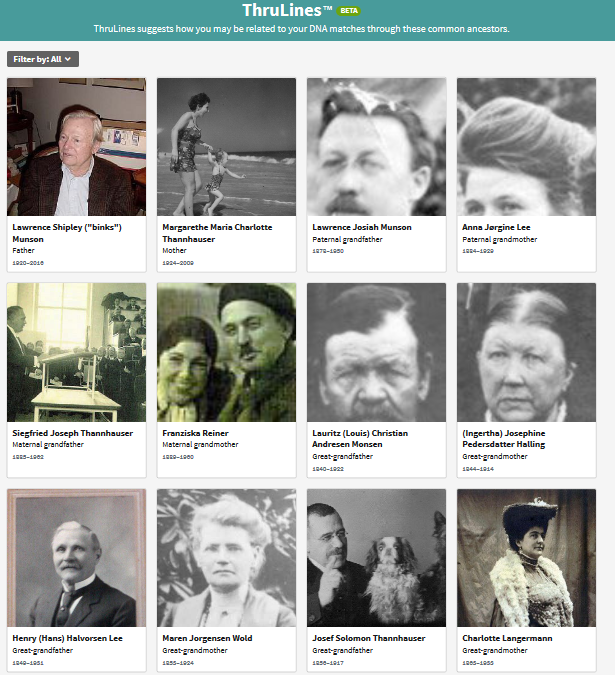
Ancestry.com announced a great new tool at Rootstech called ThruLines. It finds connections to your DNA matches by looking through other people’s trees for you. This replaces DNA circles by displaying the descendants of your ancestors in a more understandable format. Even if you have a private tree, you will get these ThruLines as long as your tree is set to searchable. Here is what the new DNA overview page looks like:

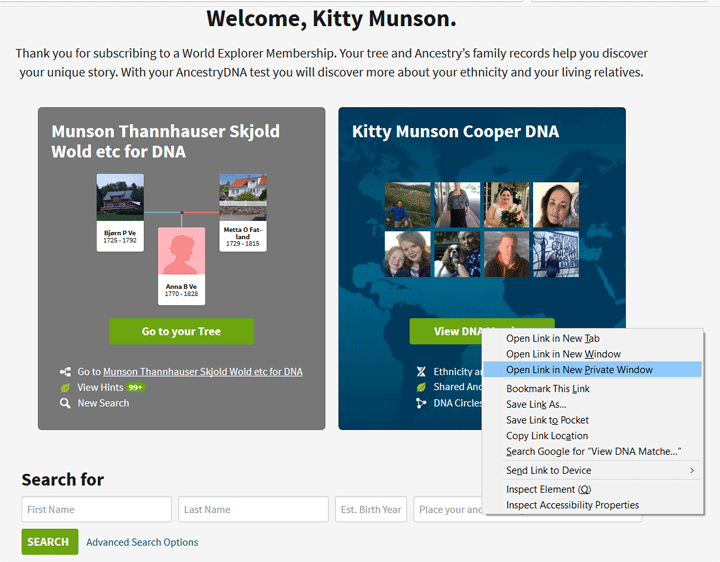
ThruLines is fabulous but a little buggy. I was constantly getting page not found apparently due to a cookie problem and was wondering if I would ever finish this post! A trick suggested in Blaine’s DNA tools group on FaceBook solved this for me. I now open the ThruLines page as a private or incognito page by using the right click menu in Firefox or Chrome.

Right mouse clicking on ViewDNA matches brings up a menu where you can request a private window

The ThruLines page shows images of each of your ancestors with whom you share DNA matches, ordered by most recent first. Since I have tested my brother and many first, second, and third cousins, there were no surprises in the first four lines (16 ancestors) but once I got back to my great great grandparents I found a number of new cousins that I had not found before on my Norwegian side: descendants of my Wold great grandparents and my Halling 3rd grandparents.

One of the nice things is that Ancestry can see past the private parts of trees to find the connections. It shows you living people as boxes marked private but can still connect them back to the common ancestors. It also indicates whose tree the information came from, which is helpful when you know there is an error since you can click on the tree name to see it and contact that person to request that they fix it.

I found a whole slew of new Halling cousins decended from my great grandmother’s sister Nikolena

I was about to complain that I would prefer to see these ThruLines theories start from my DNA matches rather than my ancestors when I discovered that if I joined the Beta test of the new matches page they do exactly that, among many other wonderful new features.

Continue reading →

MyHeritage’s Theory of Family Relativity

It seems as if every DNA and genealogy company is unveiling wonderful new features this week at RootsTech 2019 which makes me wish I was there. It will take me many posts to cover all the ones that excite me!

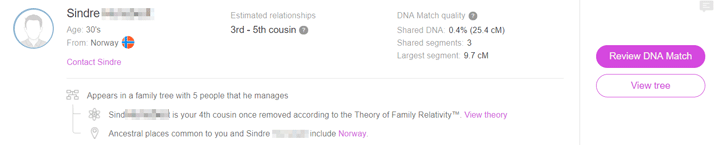
MyHeritage has just unveiled a cool new feature called the “Theory of Family Relativity.” The idea is to look at your tree and other trees in their database to see if the computer can figure out how you are likely to be related. When you click on the big pink View theories button at the top of your DNA matches page it will show you just the DNA matches for whom it thinks it has found the relationship.

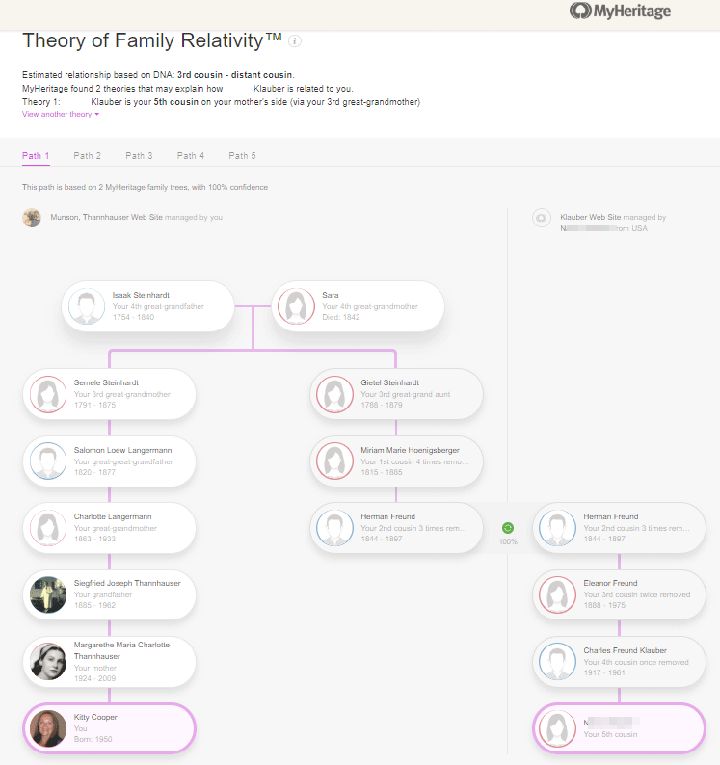
What is exciting and different about this offering is that when you click on the “View theory” in the listing for a match it offers you several paths to view a graphical representation of the possible relationship including percentages of accuracy. It also indicates the trees or records the deduction was made from. Here is how it shows that with a known 5th cousin of mine. I had not known that she had tested nor had I been in touch, although I knew her family.


If you go to the match page of a match that has a theory, it will show you a compact view of the expected relationship at the top of the page without the tree names and percentages however it includes a click point to see the full theory.

Continue reading →