Archives

A Nice New Feature at DNApainter.com

One tool I use all the time at the DNApainter site is the online shared cM calculator. This shows you the possible relationships that you have to a DNA match based on either the shared centimorgans (cM) or the percentage of DNA shared. It uses both the calculated odds from the DNA geek and the observed odds from Blaine Bettinger’s shared cM project. I find that these are far more useful than the predictions at the various testing companies.

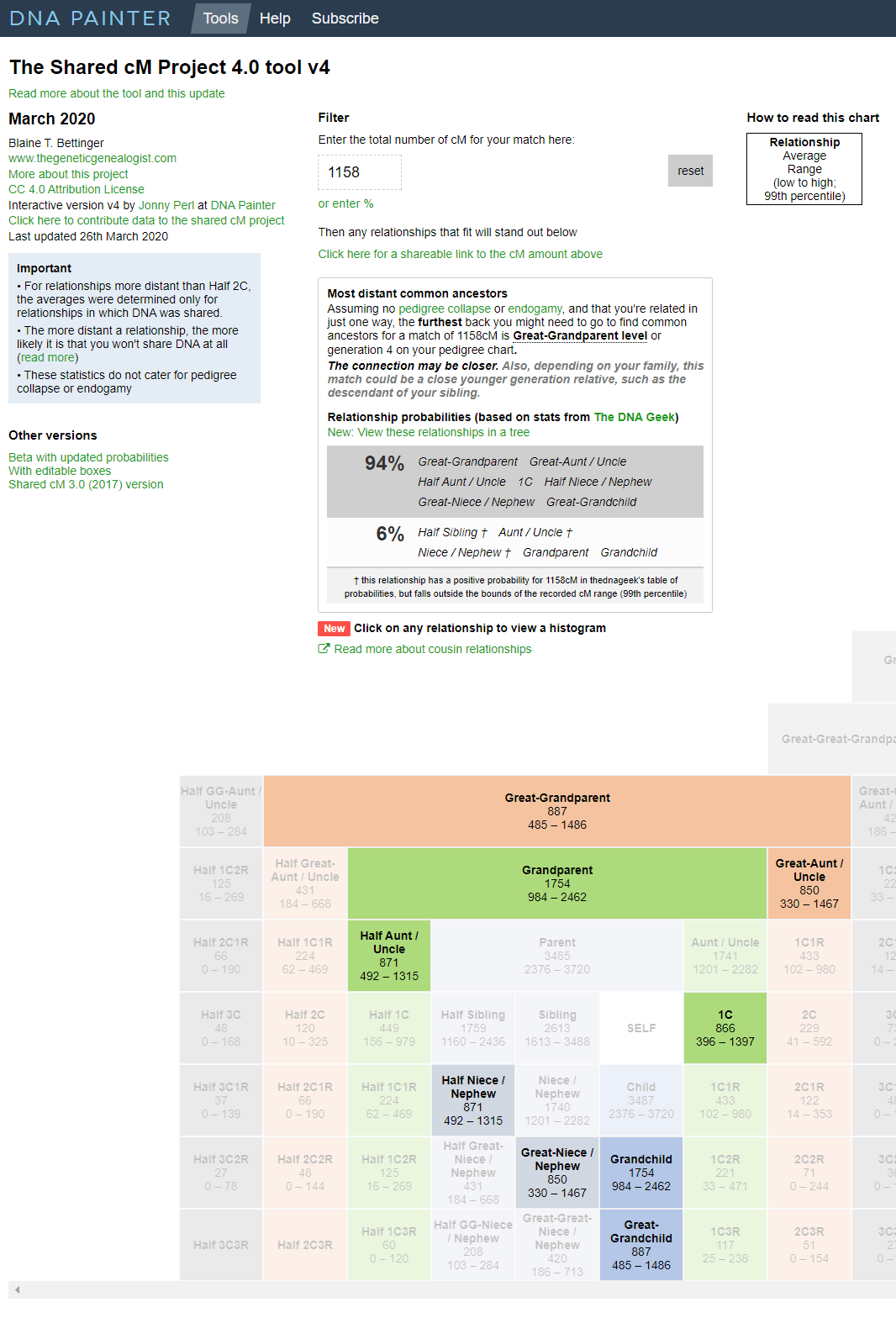
Results of the online calculator for cousin “C’ sharing 1158 cM, red arrow points to new feature

When you input a number in the box at the top under the word Filter, you get a display like the one above which shows the likelihood of various relationships. Additionally those possibilities have their boxes light up in the chart underneath (click the image for the larger version which shows that). I used the 1158 cM that my first cousin “C” shares with me, on the high end for that relationship, to see what would show.

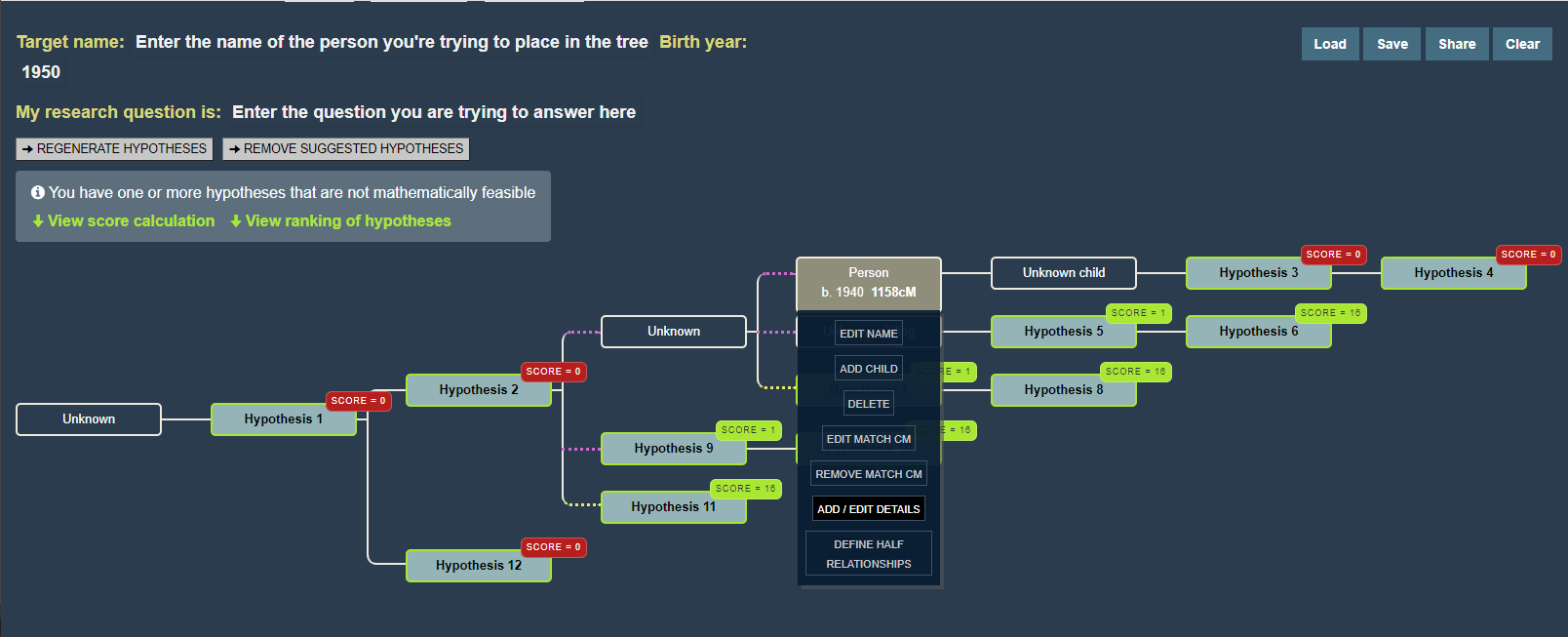
Do you see my red arrow pointing to the new feature? When you click on the words View these relationships in a tree you get a diagram like the one below, showing possible places for you in the tree of your match. Quick tip, right click those words to get a little menu from your browser letting you open it in a new tab or window. This diagram is created by the WATO (What Are The Odds) tool.

WATO image for C

WATO for cousin “C” showing the menu for editing her in the tree (click for larger version)

One thing that takes getting used to for many of us genealogists, is that WATO uses a backwards pedigree format, a sideways descendant tree. The presumed common ancestor is on the left and the descendants fan out on the right. Every person in this diagram can be edited by the way. You can add names, birth years, whether they are half relationships, and so on.

Most people like visual displays of relationships so it is great to see the possibilities laid out in a family tree. Click the Continue Reading below for my experiments with some of my known cousins. However you may prefer to read about the details of this new tool by its author, Jonny Perl, on his blog (click here) – he does a great job of explaining it.

Also to learn more about WATO, click here for the Family History Fanatics youtube video or click here for Leah Larkin’s many more advanced articles on WATO.

Continue reading

More DNA news and a virtual conference

It has been two months since my husband died and I am still not back but there is so much interesting genealogy and DNA news that I am making the effort to blog today. Forgive my lack of original thought; my brain is not working well yet, other widows call it “grief brain.”

SCGS Jamboree 2019

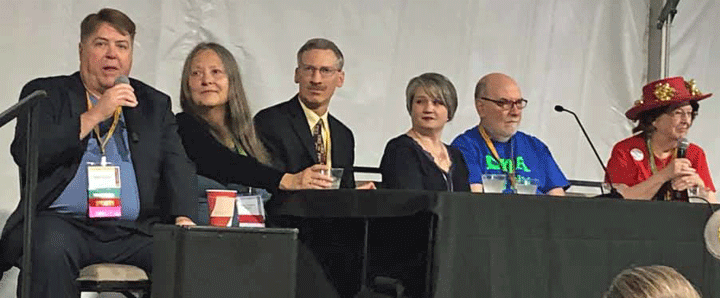
DNA expert panel at the 2019 SCGS Jamboree: L to R: Brad Larkin, me, Tim Janzen, Angie Bush, David Dowell, and the organizer Alice Fairhurst

First of all, my favorite local conference, the Southern California Genealogical Society Jamboree has been restructured as a two weekend virtual event. This coming Friday and Saturday are about DNA and yes I managed to record a talk on finding cousins which explains some of my favorite techniques at the major sites. Next weekend is the Genealogy portion, again on Friday and Saturday. Plus, as always, there are some free events; for example, Monday next week has virtual round tables and I will be hosting one. Click this URL for more information about all this conference: genealogyjamboree.com

Next, MyHeritage has been doing some exciting things with your old photos. The latest is automatic repair. I am eager to try it. Previously they added colorization and automation. Click here for the blog post on the new magic photo repair tool


23andme has come out with an interesting report on the genetic basis for why some people lose their sense of smell with COVID. Click here to read it (it requires you to log in)

Finally GEDmatch has released their updated prettier site. You have the option to use the new site which still has a few small bugs or the old, familiar, but clunky site. Yes the changes are mainly cosmetic and making help more available. As soon as I have some energy I will blog about them. In the meantime be sure to try the new site and send bug reports to support@gedmatch.com

DNA Day and some DNA News

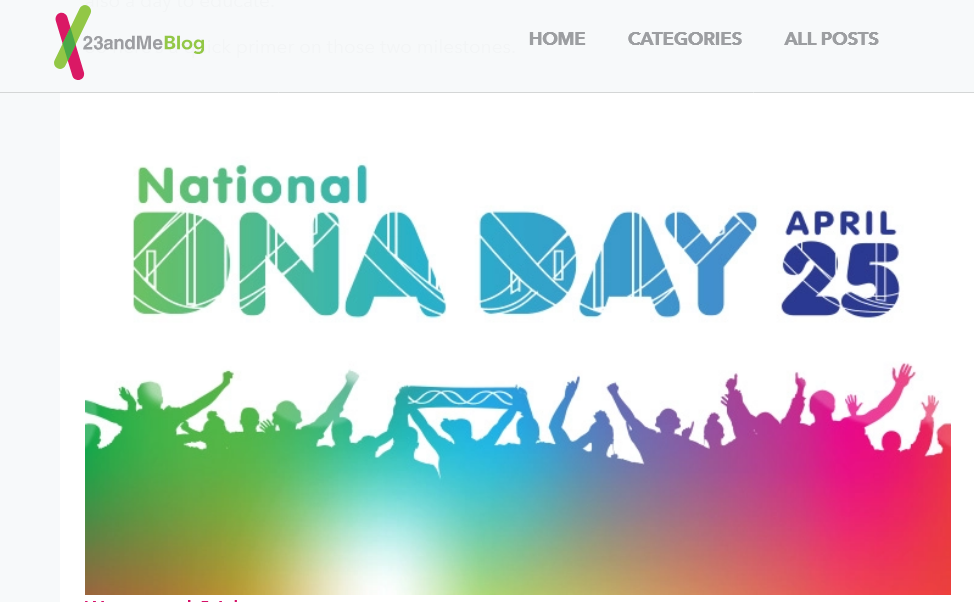
Sunday April 25 is DNA Day. Every major company is having a sale to celebrate. Family Tree DNA is even having sales on the upgrades to their various Y tests. This is a great opportunity to get that done. Click here for their price list.

Click the image below for a very interesting post on the history of DNA day from the 23andme blog.

There has been much exciting news in the genetic genealogy world while I was away (I still am on a break). So here are some of the announcements you might want to read about.

  • GEDmatch has collaborated with Genetic Affairs to improve their clustering tools and to include auto-tree building. Click here for that news release. The next blog post I intend to write will evaluate these.
  • DNApainter is sending out a free monthly newsletter, the most recent had information about a couple of new releases. Go to that site and click the green banner at the top of the homepage to sign up if you’re interested.

If you haven’t tried Deep Nostalgia, the new tool to animate family photos at MyHeritage, maybe click here to read all about it.

Ancestry has reorganized their Match list page. More of your notes will now show up since they have been moved to be below each match.

Continue reading

More on Ashkenazi DNA

It is time to update my recommendations on dealing with Ashkenazi Jewish DNA, the DNA of those who are Jewish of Northern European origin, often abbreviated AJ. The usual goals of DNA testing are to find out where your ancestors were from, to find cousins who might have good family stories, to confirm your paper genealogy, and perhaps to check on health issues. There are some special considerations for AJ DNA.

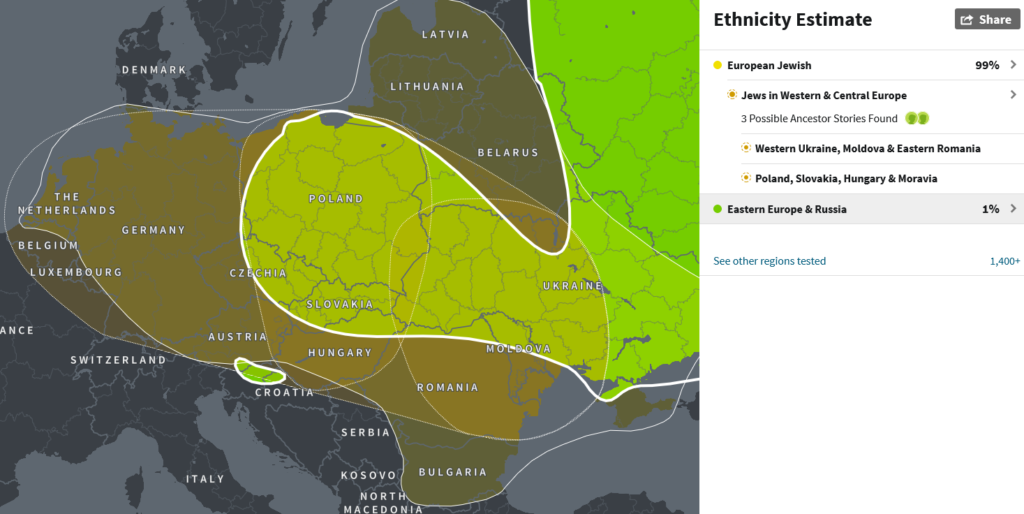
First, for Ashkenzi Jews, the ethnicity results are usually not very useful as they look like this:

Image of Typical Ashkenazi Jewish DNA Origins

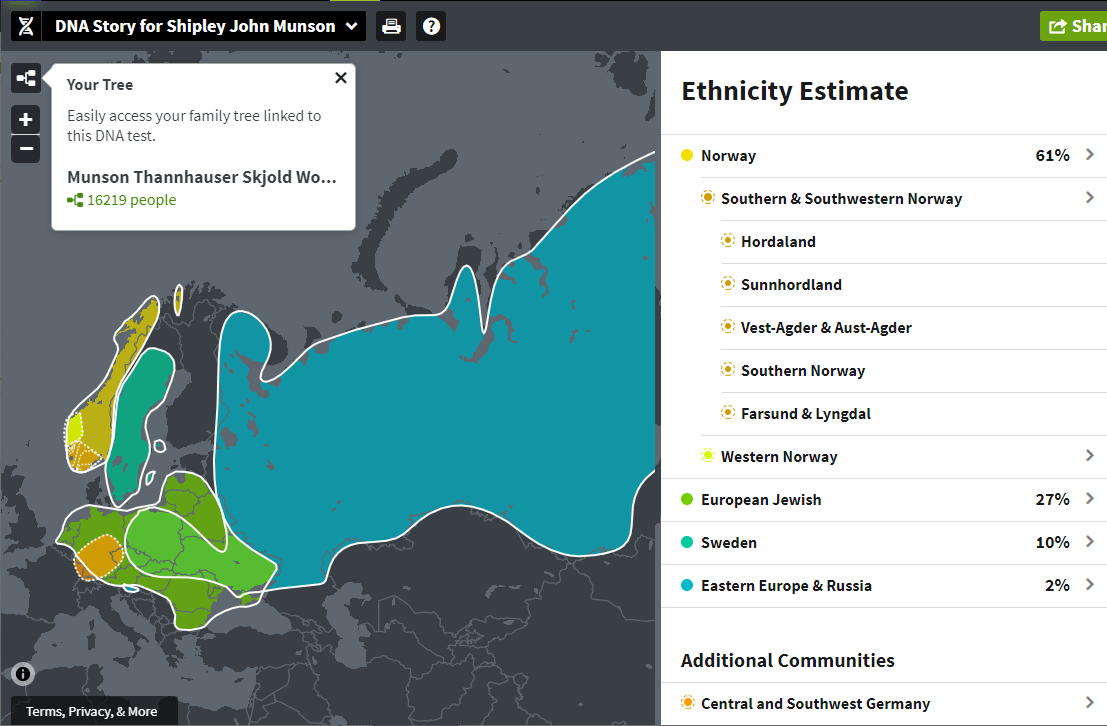
Typical Ashkenazi Jewish DNA Origins as shown at Ancestry.com

Of course for some with a larger than 2% non-Jewish percentage, it can confirm a non-Jewish ancestor.

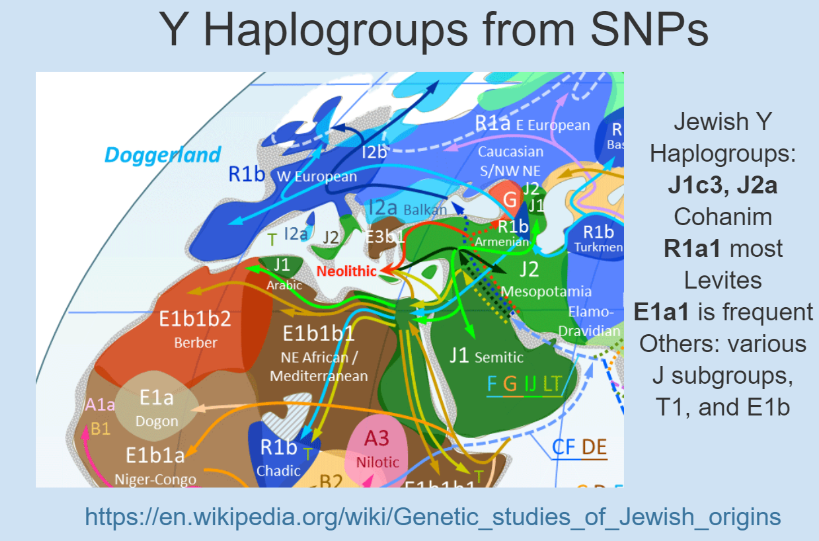
Another deep ancestry goal for the Jewish male is to confirm or look for Cohanim or Levite roots. If your Y haplogroup belongs to one of those (see below) then best to do full Y testing over at Family Tree DNA which has projects for Levites and various Cohen groups. 23andme gives you your high level haplogroup but the other testing companies do not. If you tested elsewhere, click here and scroll end of this article to learn how to get your Y haplogroup: Why Y?.

Diaagram of Jewish Y Haplogroups

Slide on Jewish Y Haplogroups – image from a Y haplogroup crative commons image at wikipedia, no longer available

Finding relatives is difficult because all of us Ashkenazim are related multiple times, both way back when and more recently. Most AJs look like 4th or 5th cousins to each other even when that is not the case.  Cousin marriages, uncle-niece marriages, and other close family marriages abound in our trees. In my own family, on my Jewish line, my great grandmother fixed up her sister with her husband’s brother to get that dowry for the family business so I have double third cousins. Click here for my article from back in 2014 that suggested that we are all descended from 350 people in the 1300s.

This means the Shared Matches feature at Ancestry is useless to us because it does not show how the two matches are related to each other and that can be quite distant [UPDATE: 26-Apr-2025: With Ancestry’s new pro tools you can see how your matches are related to each other]. Both MyHeritage and 23andme are kind enough to show how the shared matches are related to each other.

Continue reading

A Really Basic Approach to Using GEDmatch

GEDmatch.com is about to get a face lift. Many have complained that it is not intuitive and does not offer enough help for a newcomer. The new site hopes to correct some of that; I am helping with the beta test now; it sure is prettier!

Why use GEDmatch and what is it? Well it’s a free 3rd party site of tools where you can upload your DNA test results and compare them with those from people who have tested at other companies. Plus there are many analysis tools, some available nowhere else. These include GEDCOM (family tree) comparisons, including yours to your DNA matches.

Recently I gave a talk for the Family History Fanatics at their Winter of DNA conference where I demonstrated how to use GEDmatch without worrying about segments. An approach that gets a lot out of the site without having to be a geek like me. The slides are here: https://slides.com/kittycooper/gedmatch-basics-2021

Here is a step by step of that very basic approach as outlined in the syllabus for my FHF presentation

1. Create a User ID and Upload a DNA raw data file, aka a “kit”

Click the image above to go to the video from Andrew Lee, of FHF, which shows you how to create a user id and upload your DNA raw data to GEDmatch.

Or read this blog post of mine which also has links to my other GEDmatch posts
https://blog.kittycooper.com/2019/02/genesis-basics-gedmatch-reinvented-part-1/

2. Once Logged in, your Dashboard Page is not Intuitive

The tools are in the right hand column and the resources you have uploaded are listed on the left. You can upload more than one DNA kit and multiple GEDCOMs. There is a help section on the top right.

This post from Jim Bartlett is a useful explanation of the home page, as is my basics post listed above.
https://segmentology.org/2018/05/01/first-time-at-gedmatch/

And here is what my beta test Dashboard looks like, an improvement? I think so.


Continue reading