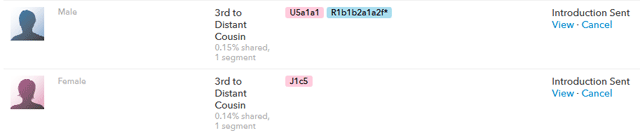
So I have tested Dad at both 23andme and Family Tree DNA. I just discovered the fun option “in common with” on the Family Finder matches pull-down list. If you select that option then you can see all the matches you share with people whom you have assigned relationships too.
Chrome Browser Tools for 23andme
I just found out about two wonderful browser helpers for 23andme that work only in Chrome and installed them both. So far I am absolutely delighted with them.
- 23++ totally redoes the 23andme inbox so you can search by name or subject. Since I have a few hundred messages by now this is essential. I had been continuing many conversations via email partly because the inbox at 23andme was so limited. This addon also adds functionality to the relative finder, as well as other features
- 529andyou collects data in your local chrome mySQLlite database every time you look at the table comparison in the ancestry lab Family Inheritance Advanced and puts an icon on the far right side of the url box at the top that you can click to see this data
So my first effort with 529 was to look at my three 5th cousins that are all descended from Isaak and Sara Steinhardt:
New Ancestry Composition Tool at 23andme
There is a terrific new tool at 23andme for looking at your ancestry. Cece Moore describes it in great detail on her blog post here. I very much like the chromosome mapping part but the colors are incredibly boring if all your ancestors were european. Just shades of blue that were hard to distinguish one from another. So I changed the colors for Finnish, British, Ashkenazi, Eastern and non-specific Southern European
Here is my picture (I am half Norwegian and half German with half of the German being jewish, so a quarter Ashkenazi):
What to do at the GEDmatch site
A DNA cousin who just uploaded his ftDNA results to GEDmatch asked me what he could do with them, so I decided to write a blog post to answer this question. Here are my favorite things to do there:
- make pretty pictures of your populations ancestry – called the Ad-Mix page
(see more on that below) - get a list of possible relatives who have tested with other companies as well as the one you tested with, that is the “One to Many” option on your home page. Email addresses are shown but you cannot just click on them, you can cut and paste the first part but then you have to retype the ISP (prevents spam)
- look at a specific area of one chromosome to see who else matches you there – “Find people who match
with you on a specified segment” - compare your GEDcom to one other to see of you can find that elusive MRCA
- compare your GEDcom to all your DNA matches that have uploaded GEDCOM files
Making a spreadsheet of autosomal DNA matches
It is very interesting to look at the overlapping DNA segments of one’s matches in order to figure out where they may have come from and how they might be related. It also helps with tracking these relationships and comparing the results from different sources. Personally I know when someone matches my 2nd cousin Dick that the relationship is on dad’s father’s line. My next task will be to start diagramming the possible relationships based on who matches whom among all our new distant cousins.*
To find the DNA segments where you match another person at 23andme that you are sharing with you [UPDATE 27-May-2026 Unless you have upgraded your 23andme account to Premium+, this is no longer available. If you have upgraded, then click on Advanced DNA Comparison in the menu under FAMILY & FRIENDS]
[OUTDATED: put your cursor on “My Results” in the very top menu bar and then click on “Ancestry Tools” at the bottom of the second column of selections to get the page that lists Family Inheritence: Advanced.]
Within this function you select the person to compare to on the left and all those to do it with on the right. So typically I take a new person and compare them to me, my brother and my Dad; then various cousins. You need to select the table version to get the numbers shown in the spreadsheet below.
Here is how I track overlapping segments. I make one spreadsheet for each person I am looking at, sorted by chromosome, segment start, segment end and length. I use the same columns as the 23andme table view of my genome shares but add one column at the beginning marked with a P or M (paternal or maternal side match) whenever I know it. Then I add a column for the most recent common ancestor (MRCA), one for known relationship (when found), and another one for notes where I put comments like “same match with Kitty, no match to Dick, matches Jane elsewhere).